You are working on a subdivision. The builder has provided you a choice of 3 different building footprints to place on all lots. With a few commands you know how to use you are able to automate this process.
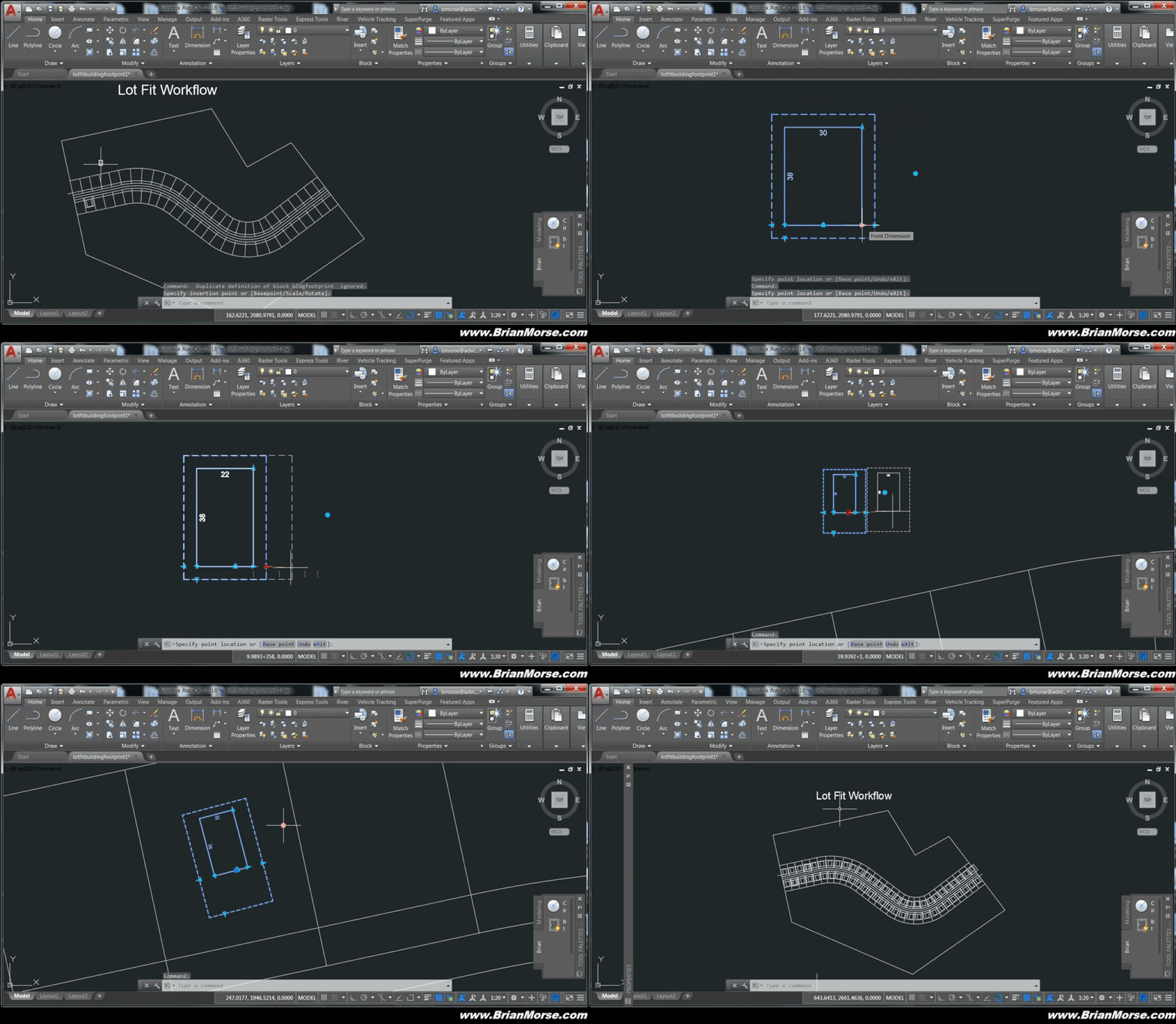
A dynamic block can be used for the different building footprints. The dynamic block can have variable size options or just an inventory of static footprints that you can rotate and flip.
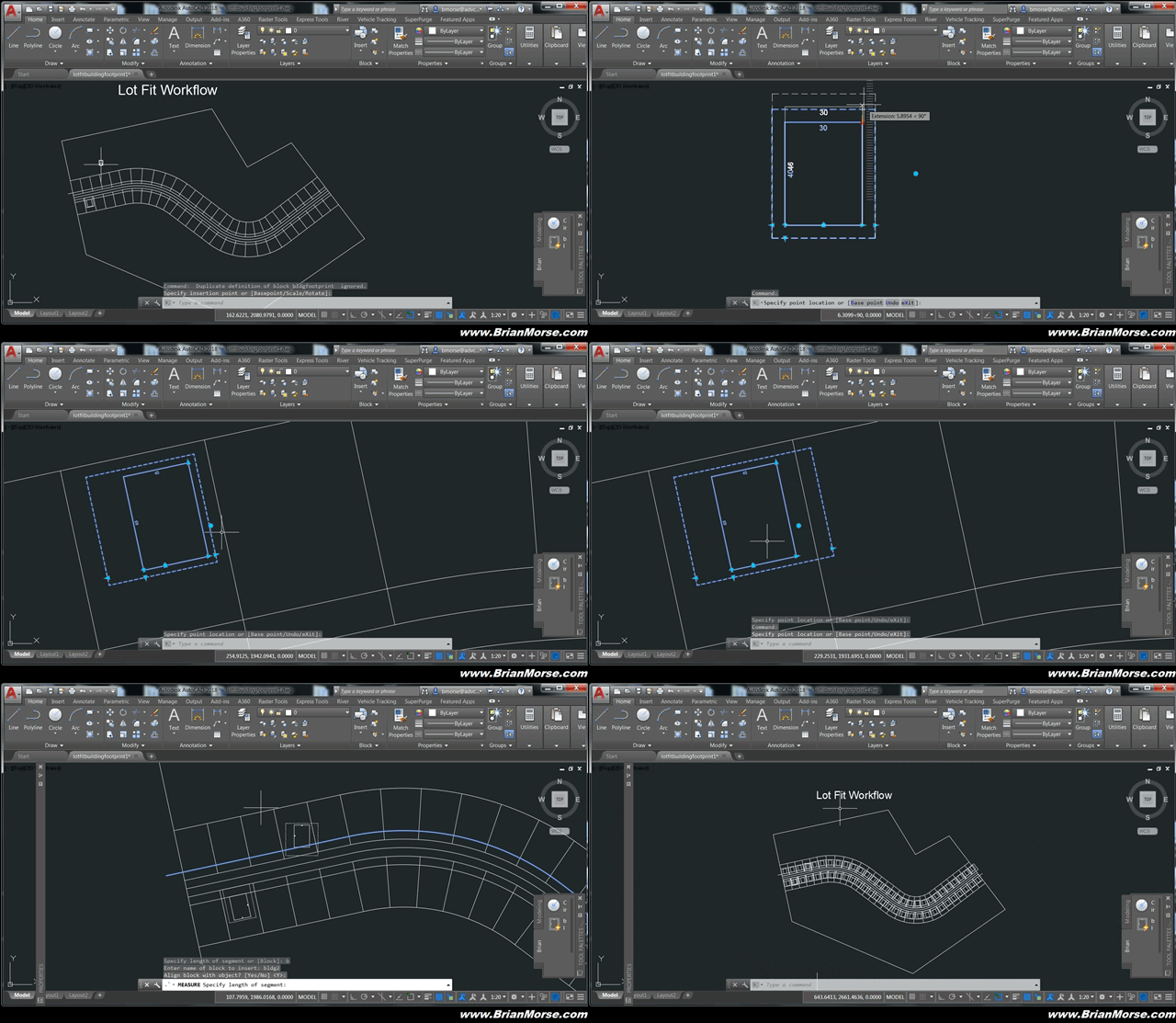
To place the block on multiple lots having the same frontage distance you can use the MEASURE command or the ARRAY command. MEASURE will allow you to distribute the block along a curved polyline.
Visit the Support page to learn the details.

Recent Comments